
FIRMWARE UPDATE
Manage transmitter firmware and system componentsTX UPDATE (STM32)
Update the main transmitter firmware
Connection Status
Disconnected
01Select Firmware
Choose or drop firmware.bin
Maximum file size: 120 KB
Unsupported file type. Please select a .bin firmware file.
02Version Information
Current Version
—
Latest Version
—
03
Flash Progress
0%
ELRS UPDATE (EXPRESSLRS)
Update the ExpressLRS module firmware
1
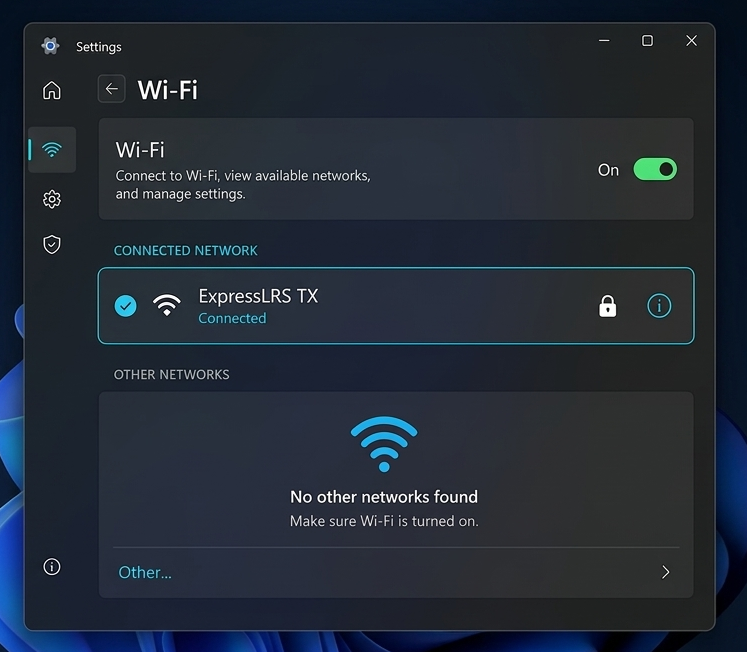
CONNECT TO ELRS WIFI
Connect to the ELRS Wi-Fi on your device.
SSID:
ExpressLRS TX
Password:
expresslrs
2
CONTINUE AFTER CONNECTING
Connect your computer to the ExpressLRS Wi-Fi network. Once connected, return here and click Continue.
Why Connect?
- Fast & reliable updates
- Access to latest ELRS firmware
- Real-time update progress
- Automatic verification
CHANNEL CONFIGURATION
Live channel input, reverse, and values
CH
CHANNEL NAME
REVERSE
LIVE INPUT
VALUE